Binance Futures Terminal with Server-Side Smart Orders
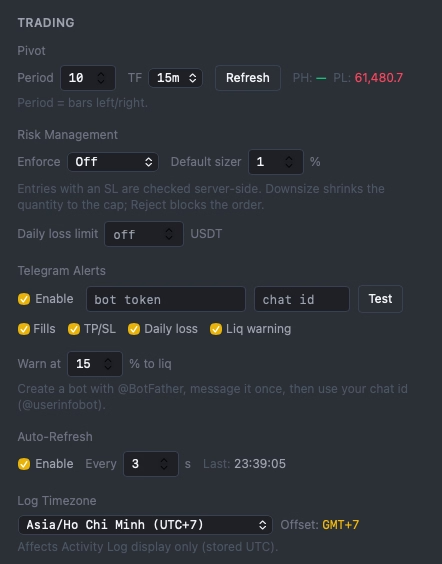
Your triggers live on Binance's matching engine — they fire even when your browser is closed. Risk limits and a daily-loss lockout are enforced at order time, and every trade is journaled with an exact R-multiple. No third-party key cloud.
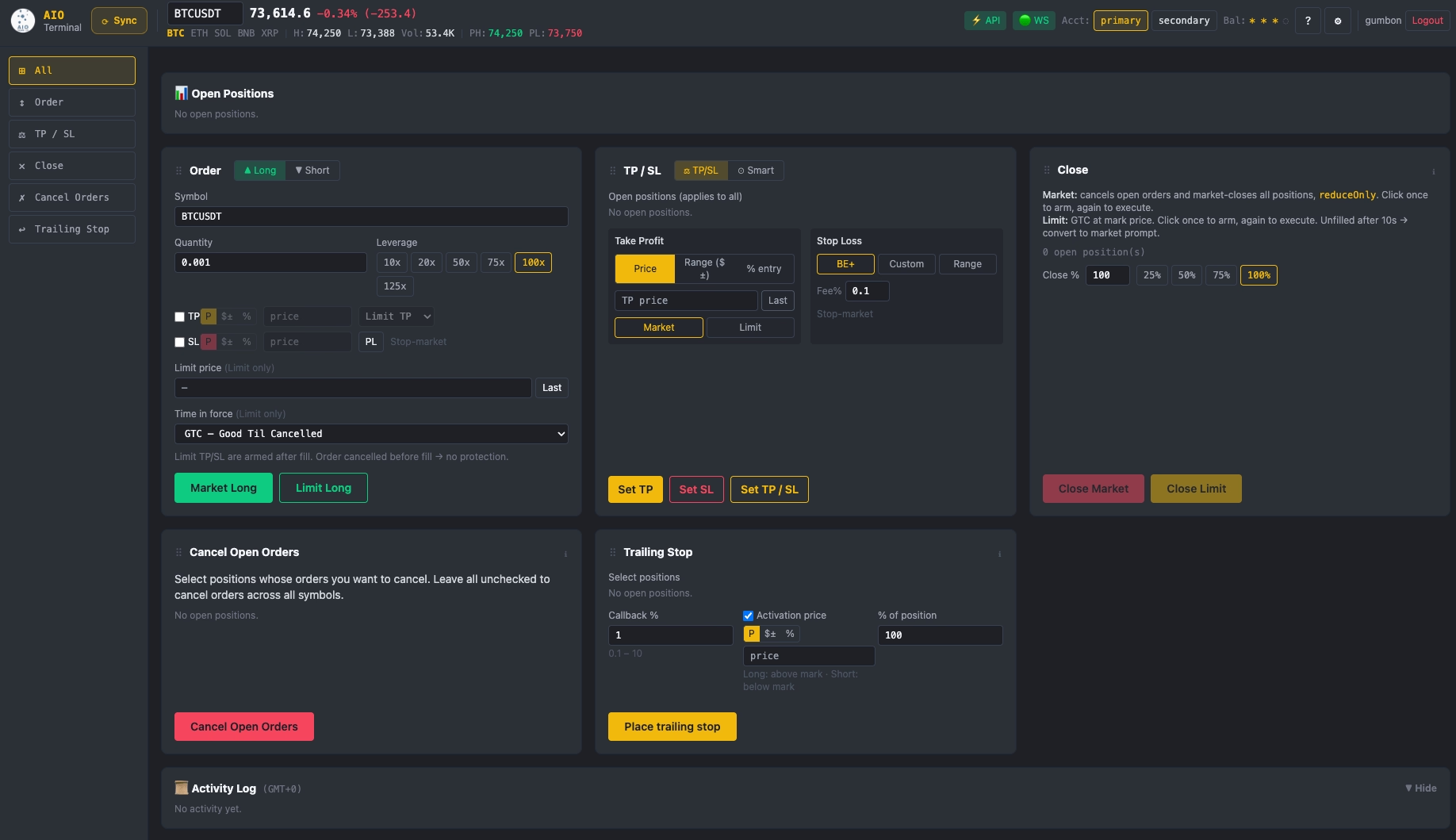
See it working
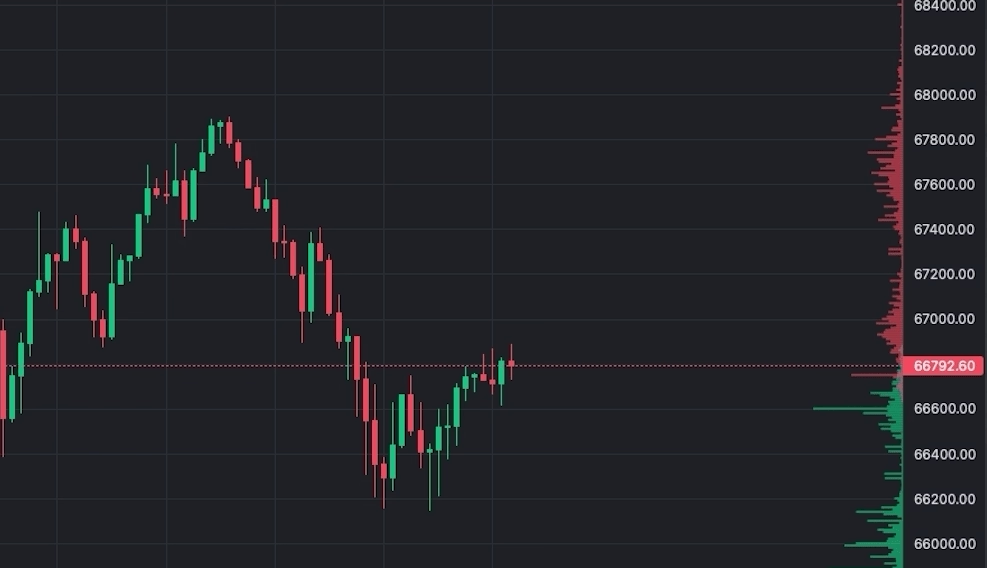
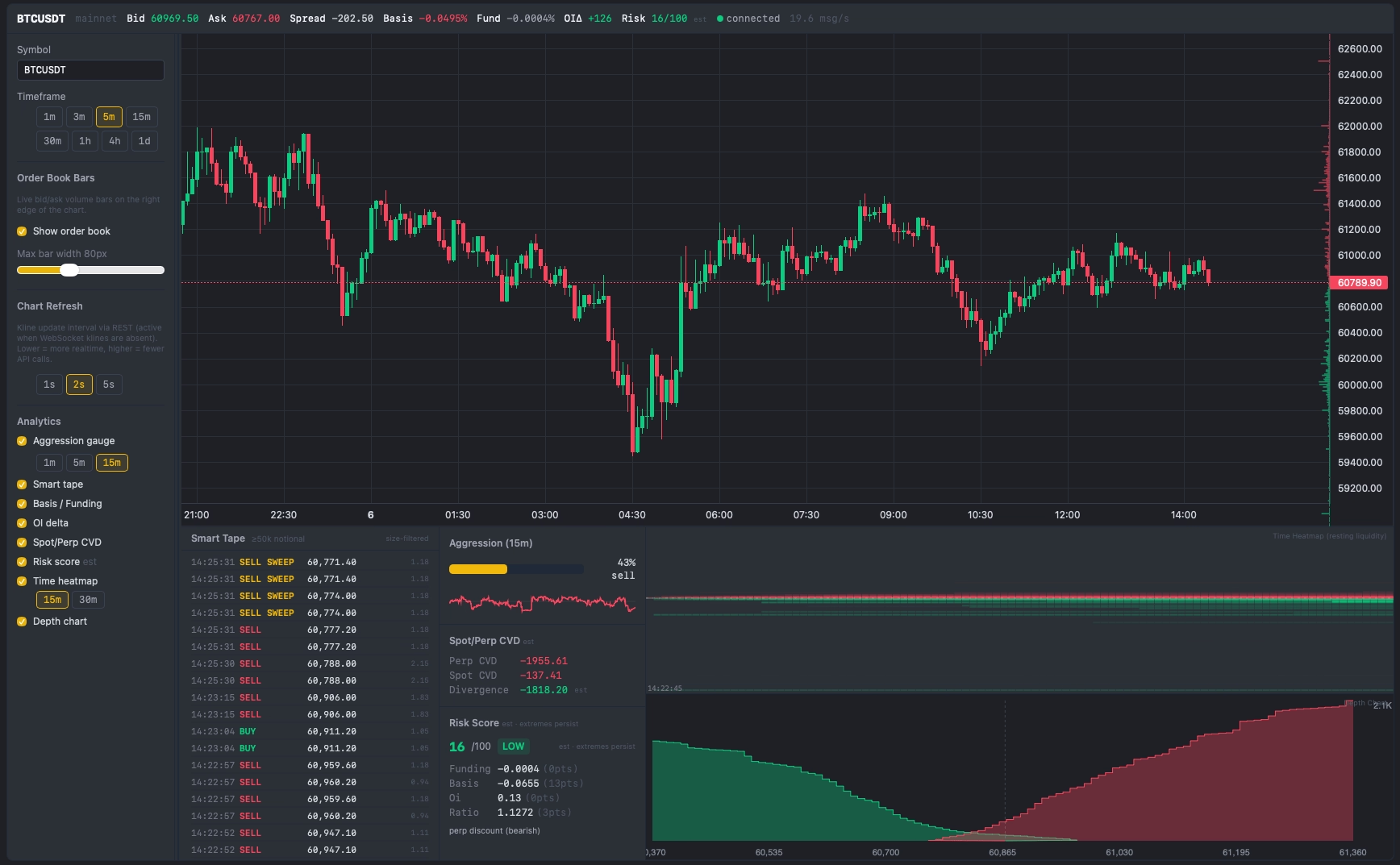
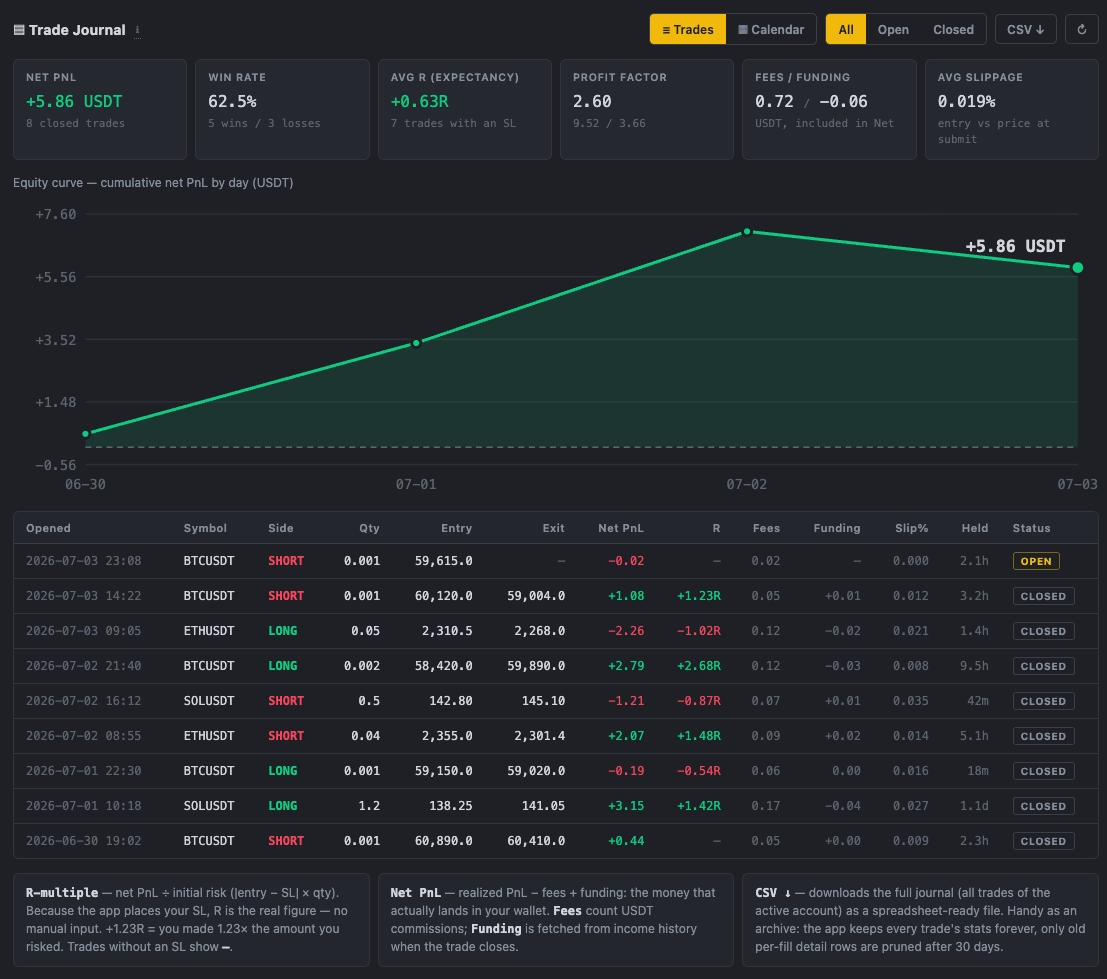
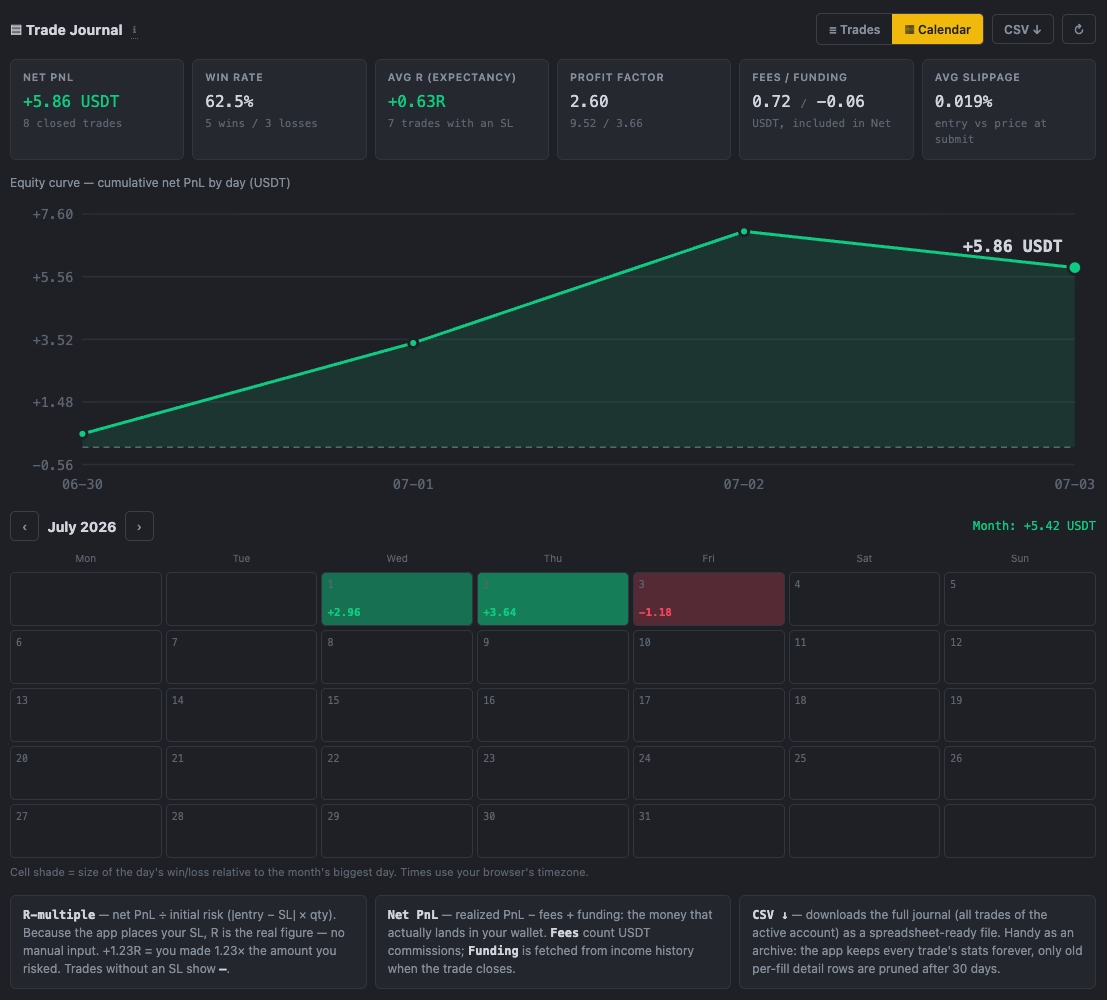
A visual walk through the live web terminal — order tickets, market analytics, the journal and risk settings.
Sound Familiar?
Every trader using Binance natively has felt these frustrations. Here's why they cost you real money.
10+ Clicks to Place One Trade
Select symbol, choose side, set leverage, enter size, configure TP, configure SL, confirm — by the time you're done the price has moved 0.3%.
You Know Your Risk Rules. You Still Break Them.
One revenge trade after a red morning can undo a week of discipline. Research on day traders (Coval & Shumway, 2005) found morning losers take ~16% more afternoon risk — at worse prices. Willpower is not a risk system.
Market Orders Bleed Fees
MARKET taker fee = 0.05% vs LIMIT maker fee = 0.02%. On a $10,000 trade that's $4 vs $2 every single entry. Multiply by 10 trades a day = $20/day in extra fees.
Closing Positions Takes Forever
When news hits and you need to flatten everything or specified positions NOW, clicking through each position individually on Binance wastes critical seconds. Markets don't wait.
TP/SL Settings Never Remembered
Every new order means re-entering your risk parameters from scratch. No persistence, no templates. It breaks your workflow and invites costly input errors.
AIO Terminal Solves All of This
Built by a trader who hit every one of these walls. One tool, one dashboard, everything remembered, one click to execute.
Everything You Need in One Terminal
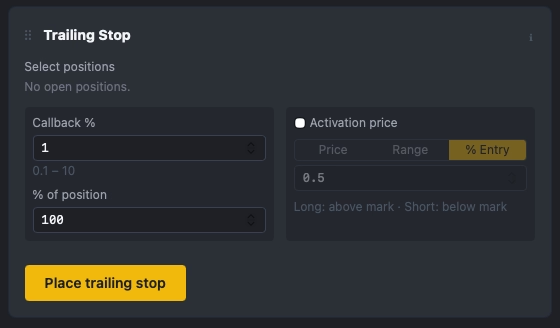
Nine tabs — Long, Short, Smart TP/SL, Close, Trailing Stop, TP/SL, Cancel, Market Analytics, and the new Trade Journal — plus server-side risk enforcement, Telegram alerts, and an account-wide FLATTEN button. Every setting saved automatically.
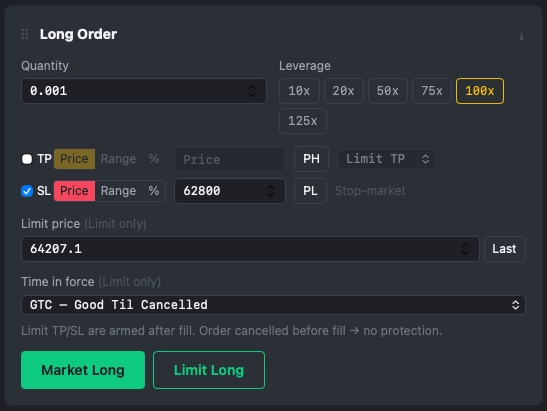
Long Order — Limit at Last Price
Opens a LONG limit order at the current last price, achieving near-100% fill rate at maker fee (half the cost of market orders).
Short Order — Limit at Last Price
Same speed advantage for shorts. One click, correct side, correct leverage, your persisted TP/SL settings applied instantly.
PH/PL Smart SL Placement
One-click pivot fill for your SL — or TP — in any input mode (Price, Range, or %). Tap PH to fill the recent swing high; PL for the recent pivot low. The terminal auto-converts the pivot price to the correct range offset or percentage from entry, so structurally valid levels are always one tap away.
One-Click Close / Cancel All or Selected Positions
Flatten all open positions or cancel all open orders in seconds — not minutes. Essential when news moves the market instantly.
TP/SL in Price, Range, or % Mode
Set your exit by absolute price, fixed distance from entry, or percentage. PH/PL buttons populate TP or SL instantly in any mode. Re-setting TP/SL automatically cancels the previous orders — no manual cancel step needed.
Drag-and-Drop Layout + Persistent Settings
Arrange your tabs in any order. All your parameters — symbol, leverage, size, TP/SL — are remembered across sessions. Never re-enter your setup again. Keyboard shortcuts (1=Long, 2=Short, 4=Close, 6=TP/SL, 7=Cancel, 8=Analytics) are configurable in Settings for fastest tab navigation.
Activity Log
Every order action is timestamped and logged. Collapse the panel to keep your screen clean; expand to review your session history. Timezone configurable across 12 zones.
Analytics — Market Microstructure Panel
A complete market analytics dashboard in one tab: live Order Book bars overlaid on chart + cumulative Depth Chart, Aggression Gauge (buy/sell pressure 0–100), Smart Tape (size-filtered trades with 5 threshold presets, sweep detection in 500ms window), Spot/Perp CVD divergence, Risk Score (funding/OI/basis composite), and Bookmap-style Time Heatmap showing resting liquidity across price & time — all updated live from Binance WebSocket.
AIO Terminal vs Binance Native
A side-by-side look at what changes when you switch
| Feature | AIO Terminal | Binance Native |
|---|---|---|
| Clicks to place an order with TP & SL | 1–2 clicks | 8–12 clicks |
| Entry order type default | Limit at last price | Market (taker fee) |
| Session timeout / re-login required | ✓ Long-lived session | ✗ Frequent |
| TP/SL input modes | Price, Range, PCT | Price only |
| Close all positions at once | ✓ 1 click or select by symbol | Each position manually |
| Where your API keys live | Your own keys — never pooled in a vendor cloud | N/A — your own exchange |
| Settings remembered between sessions | ✓ Always | ✗ Never |
| Tab layout customisation | ✓ Drag & drop | ✗ Fixed |
| API-only connection (no password sharing) | ✓ API Key only | — |
| Live Order Book / DOM overlay on chart | Real-time WebSocket, 100ms updates | Basic order book only, no chart overlay |
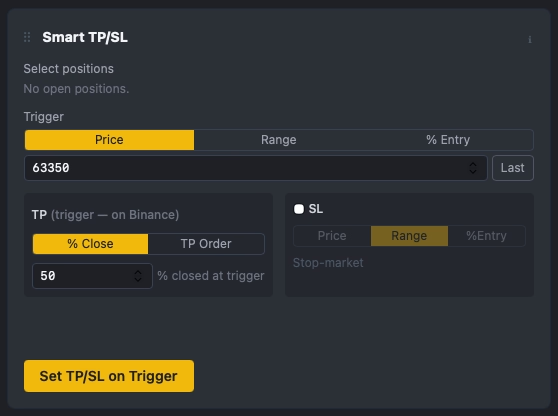
| Partial TP + auto-breakeven SL (server-side) | ✓ Trigger on Binance's servers | ⚠ Split Targets, no auto-BE |
| Automatic trade journal with exact R-multiple | ✓ Built-in, R from your real SL | — |
| Risk-% position sizing with server enforcement | ✓ Downsize / Reject modes | ✗ Separate calculator only |
| Daily-loss lockout (prop-firm circuit breaker) | ✓ Blocks new entries till midnight | — |
| Account-wide FLATTEN button | ✓ One click, per-symbol report | — |
| Per-position liquidation warnings | ✓ Live Liq column + Telegram | ⚠ Margin-call email |
| Telegram alerts via your own bot | ✓ Fills, TP/SL, risk warnings | — |
| Monthly subscription to trade | None — included with VIP | Free |
| Pre-trade refusal of oversized risk | ✓ Reject / downsize before it is sent | ✗ No pre-trade risk check |
| Market-microstructure analytics in one tab | ✓ Order book, CVD, aggression & 0–100 risk score | ⚠ Basic depth only |
Your keys, your rules — no monthly bot
Cloud bots (3Commas, Cornix, Bitsgap, Coinrule) run on their servers and hold your keys. AIO uses your own keys and enforces risk at order time.
| Feature | AIO Terminal | Binance native | Cloud bots ($25–99/mo) |
|---|---|---|---|
| API-key custody | Your own keys, never pooled | Your account | Held in a vendor cloud |
| Monthly fee | Included with VIP | Free | ~$25–99/mo on paid tiers |
| Risk-% sizing that can refuse your order | ✓ Reject / downsize pre-trade | ✗ Calculator only | ⚠ Bot sizes its own orders |
| Daily-loss lockout on discretionary trades | ✓ Blocks entries till midnight | ✗ None | ⚠ Some (e.g. Coinrule) cloud-side |
| Partial TP + auto-breakeven | ✓ Native on Binance's engine | ⚠ Split targets, no auto-BE | ⚠ Yes, but runs on their cloud |
| Automatic exact R-multiple journal | ✓ R from the SL the app placed | ✗ None | ⚠ Paid add-on / manual R |
| One-click account-wide FLATTEN | ✓ One click, per-symbol report | ✗ Close each position manually | ✗ Bots manage their own deals |
Get AIO Terminal with Every VIP Subscription
AIO Terminal is bundled at no extra cost with every VIP plan. You get 30+ institutional-grade TradingView indicators AND the full terminal — server-side smart orders, automatic trade journal, and the risk engine — starting from $19.99/month.